

 SafeHR
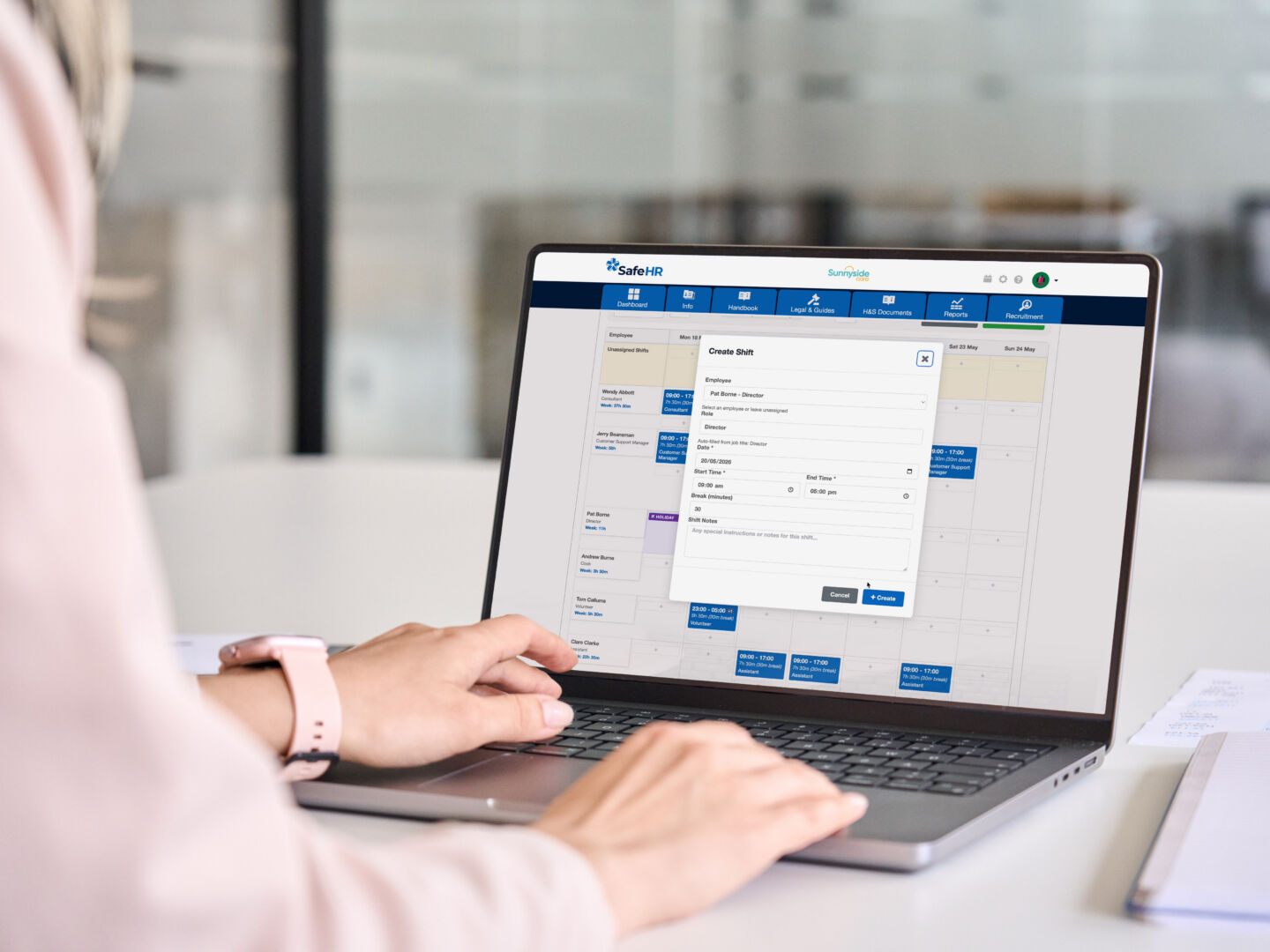
Many small businesses accept rota administration as simply part of the job.
Every week, managers spend hours updating spreadsheets, checking annual leave calendars, responding to shift change requests, chasing timesheets, and preparing information for payroll. It’s become such a routine part of running a business that many organisations never stop to question whether the process itself is the problem.
The reality is that most businesses aren’t struggling with rota management. They’re struggling with disconnected systems. When holiday requests sit in one system, rotas in another, timesheets somewhere else and payroll in a separate platform, managers end up doing the same work multiple times.
The good news is that the right rota software can significantly reduce this workload. However, not all systems are created equal. If you’re considering moving away from spreadsheets or looking to improve your existing process, here are some practical things to look for.
Before comparing software providers, take a step back and identify where the biggest frustrations exist in your current process.
For many small businesses, the rota itself isn’t the problem. The challenge is everything that happens around it. Managers spend time checking holiday records, confirming availability, updating shift changes, collecting timesheets and preparing information for payroll.
Understanding where the administration sits will help you identify which features will deliver the most value. The best systems don’t just help you create rotas faster – they remove manual tasks throughout the entire process.
A common mistake businesses make is introducing another standalone system.
If you’re already using HR software to manage employee information, holidays and absence records, your rota software should work alongside it. Otherwise, you’ll find yourself entering the same information multiple times.
Look for software that connects directly with employee records so that staff details, departments, working patterns and leave information automatically flow into the rota. When your people data lives in the same system as your scheduling tools, there’s less duplication, fewer errors and far less administration.
This helps keep information accurate and removes the need for duplicate administration.
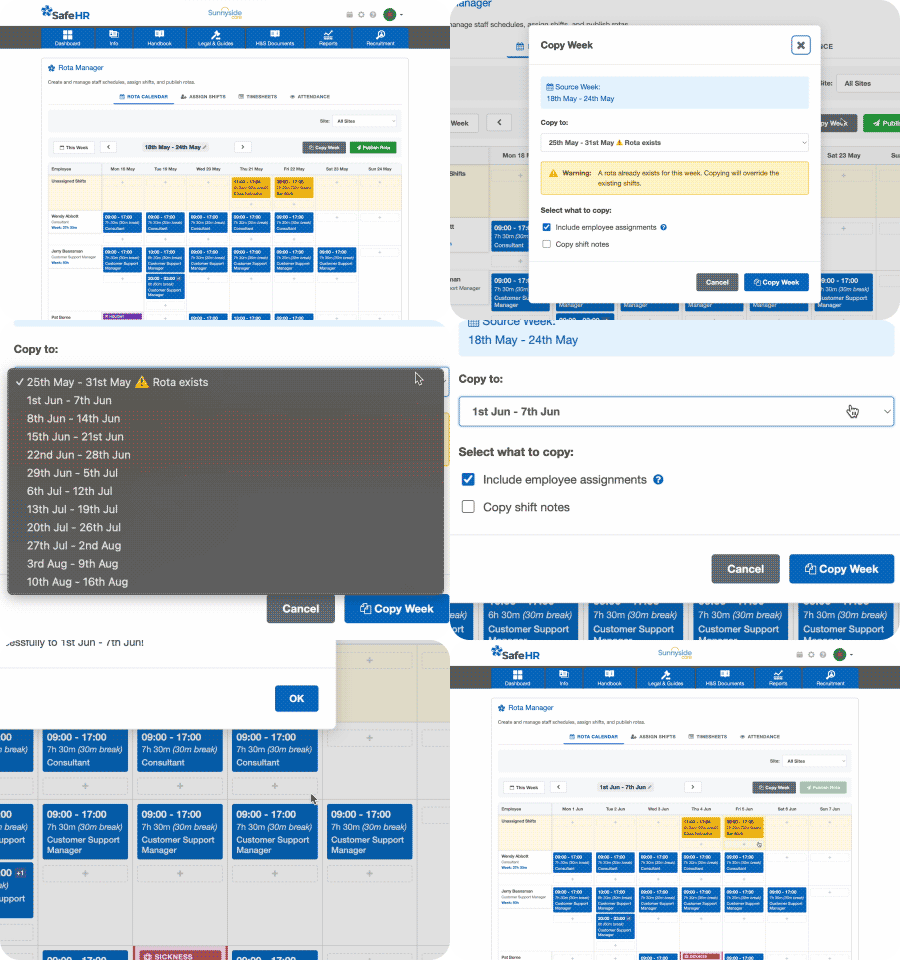
If your team works similar patterns from week to week, you shouldn’t have to rebuild schedules from scratch every Monday.
One of the simplest but most valuable features to look for is the ability to copy previous weeks. This allows managers to create a new rota in minutes and simply make adjustments for annual leave, sickness or business demand.
While it sounds like a small feature, it can save hours of administration over the course of a month. If a software provider doesn’t offer easy week-copying functionality, you’ll likely continue spending more time on scheduling than necessary.
One of the quickest ways to create rota problems is to schedule someone who isn’t available.
Managers often waste time switching between holiday calendars, HR records and spreadsheets to check who can work. A much better approach is to choose software that automatically displays approved leave and absences while you’re building rotas.
This not only saves time but also helps prevent scheduling conflicts before they happen. Instead of reacting to problems after the rota has been published, you can make informed decisions as you’re planning shifts.
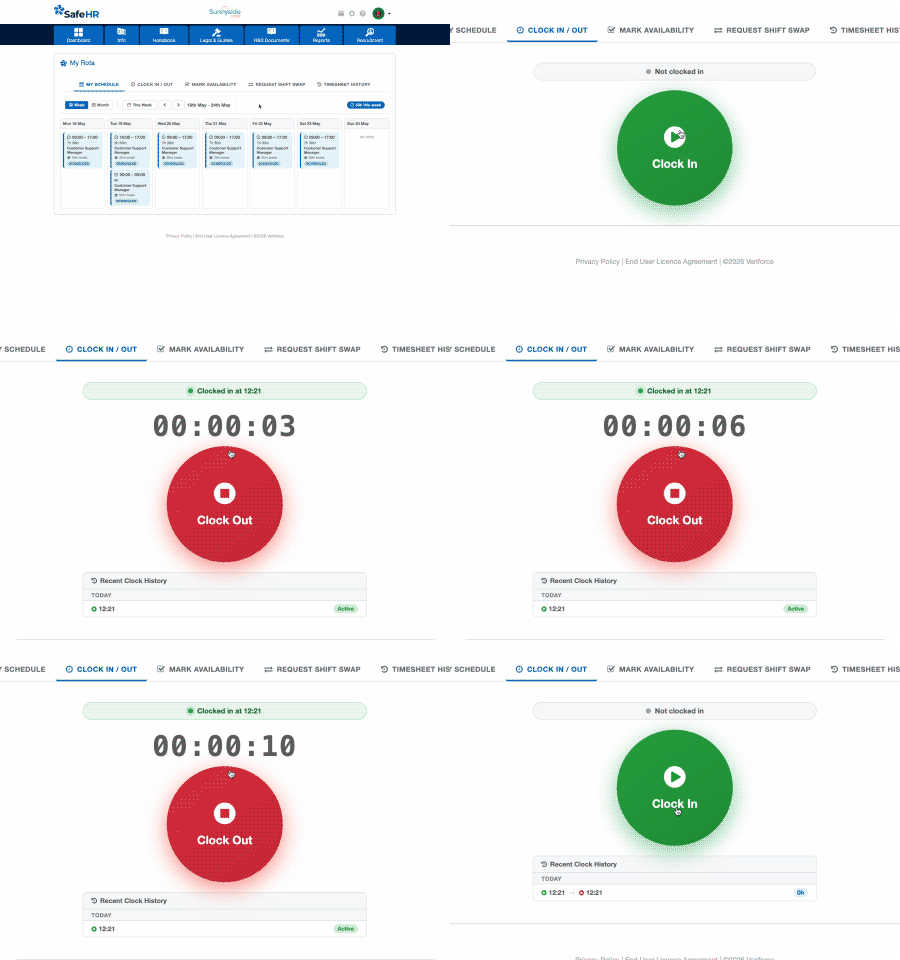
Many businesses focus entirely on rota creation and forget about what happens after shifts have been scheduled.
Recording actual hours worked can often create just as much administration as creating the rota in the first place. Paper timesheets, manual sign-in sheets and spreadsheets can all take time to manage and are prone to inaccuracies.
Software with built-in clock in and clock out functionality allows employees to record their attendance through a mobile app or desktop system. This gives managers a clearer picture of what was planned versus what actually happened and reduces the need to manually collect working hours.
It’s also particularly useful when reviewing attendance, overtime or staffing requirements, as actual working data is captured automatically rather than relying on memory or handwritten records.
Once attendance data is being captured through clocking in and out, the next step is making sure this information flows into timesheets automatically.
A common source of administration is manually transferring information between different systems. Managers spend valuable time checking hours worked, correcting errors and preparing timesheets for approval.
The best rota solutions can combine planned shifts with actual attendance data to create accurate timesheets automatically. This reduces manual input, improves accuracy and frees up managers to focus on more valuable tasks.
Payroll is often where inefficiencies become most obvious.
If payroll teams are manually entering employee hours each month, there’s a higher likelihood of mistakes, delays and additional administration. That’s why it’s worth considering payroll integration from the outset.
Software that links rotas, attendance records and timesheets with payroll can help ensure approved hours flow through the process more efficiently. This reduces duplicate data entry and gives greater confidence that employees are being paid accurately based on the hours they’ve worked.
When evaluating rota software, it can be tempting to compare feature lists. However, a better question to ask is how well each system connects your workforce processes.
The most effective solutions allow you to manage scheduling, holidays, absences, attendance, timesheets and payroll within one connected workflow. This removes silos, reduces manual work and helps ensure everyone is working from the same information.
Rather than simply replacing a spreadsheet, the right software should help you build a more efficient way of managing your workforce.
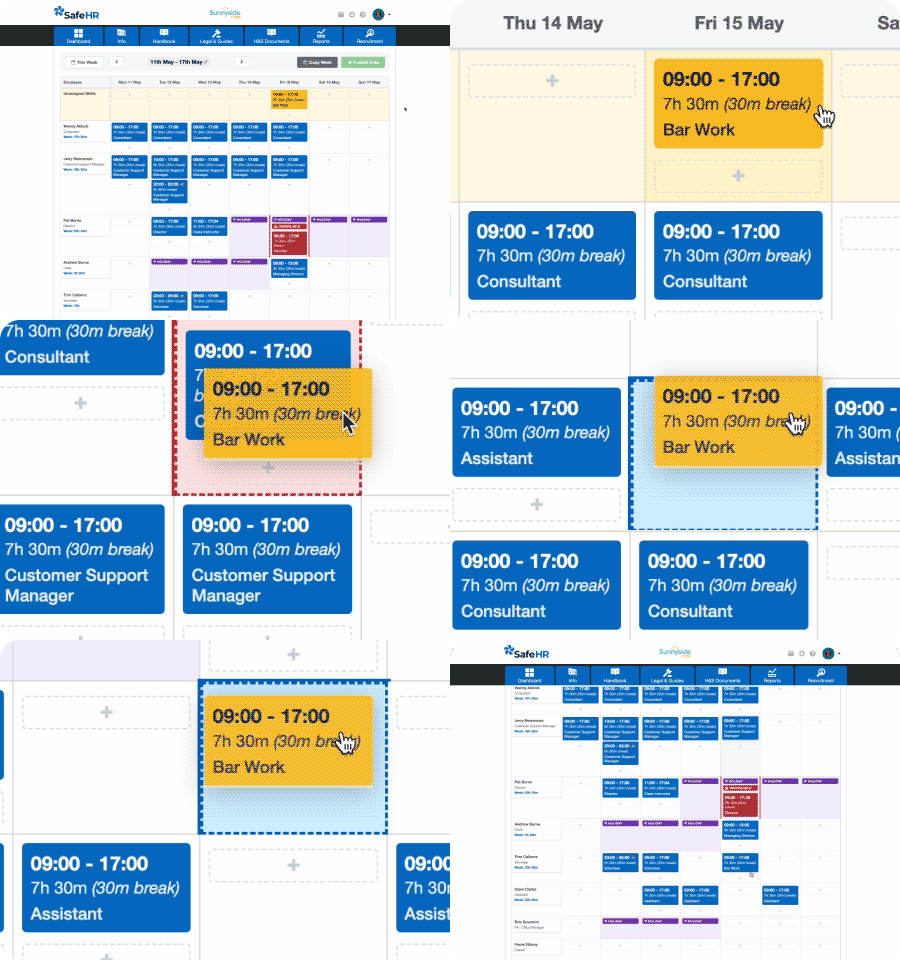
Unlike standalone rota tools, SafeHR Rota Manager forms part of a connected workforce management platform. Employee records, holiday requests, absences, rotas, attendance tracking, timesheets and payroll all work together, helping managers avoid duplicate data entry and reduce admin at every stage of the process.
Build rotas in minutes with drag-and-drop scheduling, copy previous weeks’ shifts, and automatically factor in approved leave as you plan.
Employees can clock in and out via mobile or desktop, giving you visibility of planned versus actual hours worked, while timesheet and payroll processes become quicker and more accurate.
Instead of juggling spreadsheets and multiple systems, SafeHR helps you manage your workforce from scheduling through to payroll in one place, reducing admin and giving you more time to focus on running your business.
Discover how SafeHR Rota Manager can help you create rotas faster, reduce administration and gain greater control over your workforce.

Related Insights